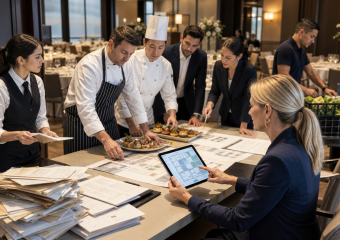

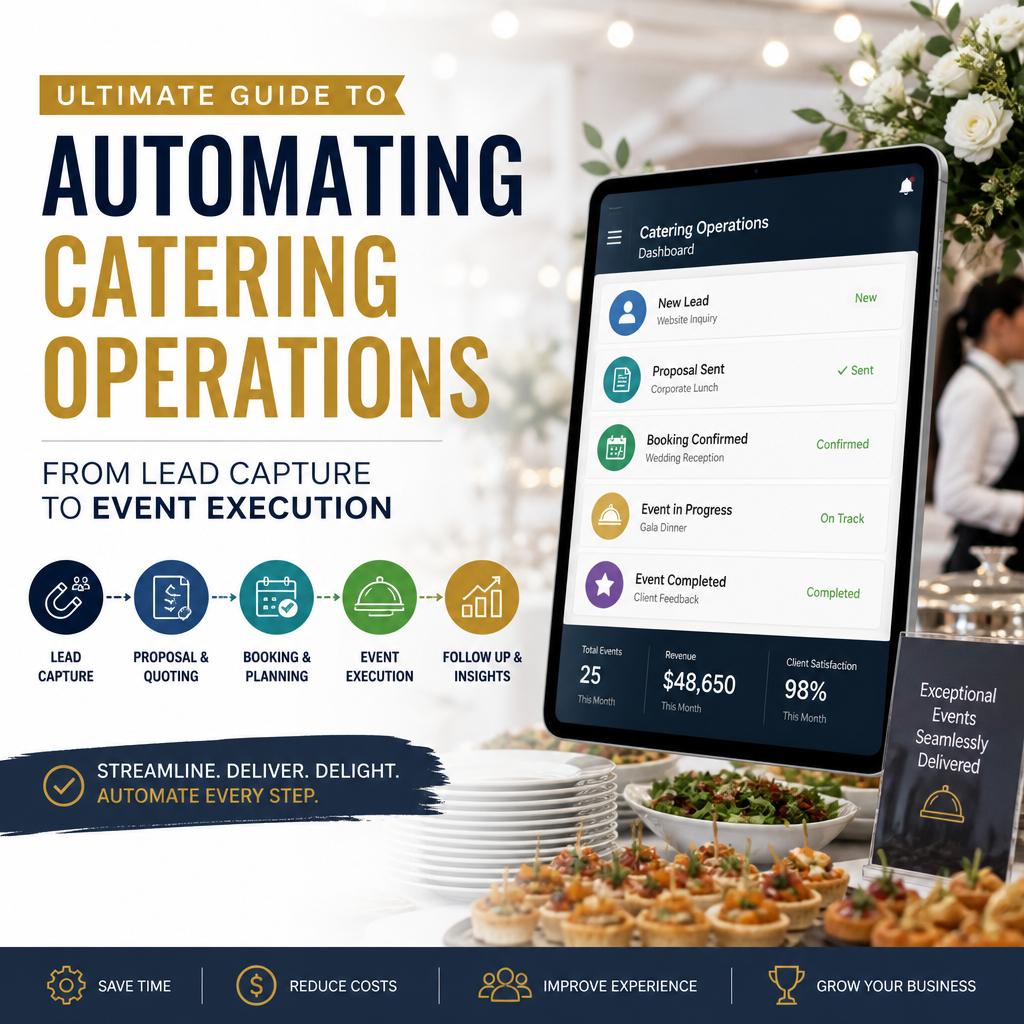
Ultimate Guide to Automating Catering Operations from Lead Capture to Event Execution
The Ultimate Guide to Automating Catering Operations: From Lead Capture to Event Execution
Catering businesses manage dozens of moving parts, from responding to inquiries and creating proposals to coordinating staff, deliveries, menus, and payments. Without a reliable system, small delays can quickly become missed opportunities or costly mistakes.
Automating catering operations helps teams save time, improve accuracy, and deliver a smoother customer experience. The goal is not to remove the human element. Instead, automation handles repetitive tasks so your team can focus on hospitality, creativity, and event execution.
1. Automate Lead Capture and Inquiry Management
Every catering opportunity begins with a lead. Whether inquiries arrive through your website, social media, email, or phone, collecting information in one central system makes follow-up easier and more consistent.
Use an online inquiry form to gather essential details, including:
- Event date and location
- Guest count
- Type of event
- Preferred menu or service style
- Budget range
- Contact information
Once a form is submitted, automation can create a customer record, send an immediate acknowledgment, and notify the appropriate sales representative. This ensures prospects receive a fast response, even outside business hours.
Use Automated Lead Routing
Lead-routing rules can assign inquiries based on event size, location, service type, or sales team availability. This reduces delays and ensures every lead reaches the right person.
Automated reminders can also prompt staff to follow up with prospects who have not yet received a consultation or proposal. Faster response times often lead to higher conversion rates.
2. Streamline Proposals and Contracts
Creating proposals manually for every customer can consume hours. Catering management software can simplify this process with reusable templates, standardized pricing, and automated calculations.
A proposal system should make it easy to:
- Select menu packages
- Add rentals, staffing, and service fees
- Apply taxes and discounts
- Adjust guest counts
- Generate branded documents
- Collect electronic signatures
Once a proposal is approved, the system can automatically generate a contract, invoice, and payment schedule. This reduces duplicate data entry and limits pricing or billing errors.
3. Automate Payments and Client Communications
Late payments create unnecessary administrative work and can affect cash flow. Online payment automation gives clients a convenient way to pay deposits, balances, and additional charges.
Consider setting up:
- Automatic deposit requests
- Scheduled payment reminders
- Balance-due notifications
- Digital receipts
- Late-payment alerts
Client communication can also be automated throughout the planning process. Confirmation emails, menu deadlines, final guest-count reminders, and event-week instructions can be scheduled in advance while still allowing personalized messages when needed.
4. Connect Menus, Inventory, and Purchasing
Menu planning affects nearly every part of catering operations. When a menu changes, ingredient requirements, purchasing quantities, prep schedules, and costs may change as well.
An integrated system can connect approved menus to inventory and purchasing workflows. Based on guest counts and recipes, it can help calculate:
- Required ingredient quantities
- Current inventory levels
- Items that need to be ordered
- Estimated food costs
- Potential shortages or substitutions
This visibility helps reduce waste and prevents last-minute purchasing. It also makes it easier to evaluate menu profitability and identify items that consistently perform well.
Set Inventory Alerts
Automated inventory alerts can notify managers when stock falls below a certain threshold. For frequently used ingredients, these alerts support more reliable purchasing and reduce the risk of discovering shortages during event preparation.
5. Improve Staff Scheduling and Event Coordination
Staffing is one of the most important elements of successful event execution. Automated scheduling tools can match employees to events based on availability, skills, roles, and location.
Team members can receive schedules, shift details, arrival times, dress-code requirements, and venue information through a shared platform. Staff can also confirm assignments, request changes, or access event notes from their mobile devices.
A centralized event timeline should include:
- Setup and loading times
- Staff arrival and briefing
- Food preparation milestones
- Guest service periods
- Breakdown and cleanup
- Equipment return requirements
Keeping these details in one place reduces confusion and improves accountability.
6. Use Checklists for Consistent Execution
Checklists are one of the simplest and most effective forms of automation. Digital checklists can be assigned to specific team members and triggered automatically as an event approaches.
Useful checklists may cover:
- Kitchen preparation
- Packing and loading
- Equipment inspection
- Venue setup
- Food safety procedures
- Service responsibilities
- Breakdown and cleanup
Managers can monitor completion in real time rather than relying on scattered messages or memory.
7. Measure Results and Improve Continuously
Automation creates valuable operational data. Track metrics such as lead response time, proposal conversion rate, food cost, labor cost, payment speed, customer satisfaction, and event profitability.
Reviewing these numbers regularly can reveal where improvements are needed. For example, low proposal conversion may indicate slow follow-up, unclear pricing, or a complicated booking process. High food waste may point to inaccurate forecasting or inconsistent portioning.
The best automation strategy is not a one-time project. It is an ongoing process of refining workflows, connecting systems, and removing unnecessary manual steps.
Final Thoughts
Automating catering operations creates a more organized business from the first inquiry through final cleanup. By connecting lead capture, proposals, payments, inventory, staffing, and event checklists, catering teams can reduce errors while providing a more professional customer experience.
Start with the processes that consume the most time or cause the most mistakes. Once those workflows are stable, expand automation across the rest of the operation. The result is a catering business that is more efficient, scalable, and prepared to deliver exceptional events consistently.